Text to video AI
No photo, no upload, no timeline. Describe a scene in one or two sentences, and the model builds a short vertical clip with a camera move and a consistent look. It is the fastest way to turn a written idea into footage.
Sign in to use this tool
One email code, no password. A new account includes one free video and five free images per day.
Your result
How it works
- Describe one scene and one camera move.
- Press generate and keep the page open.
- Download the vertical MP4.
Uploads are sent to the model provider only to produce this result. Do not upload anyone without their permission.
What text to video is good at
Text to video is strongest at atmosphere and simple action: a landscape at dusk, a person turning toward the camera, a product on a plinth, a creature moving through fog. It is weaker at complex plots, precise dialogue, and scenes with many characters. The model has to invent everything, so the more you leave open, the more it improvises.
Use it for a mood clip, a scene test, a background plate, or a visual for a song or a podcast. If the face and identity matter, start from a photo instead; photo to video preserves a real person far better than a written description does.
The four-part prompt formula
A reliable text-to-video prompt names the subject, the action, the setting, and the camera. Add a finish only if the look matters. One sentence with all four beats is usually better than a paragraph of adjectives.
- Subject: who or what is in the frame.
- Action: one simple motion with a clear start and end.
- Setting: where it happens, with one light source.
- Camera: static, push-in, orbit, or handheld drift.
Camera and motion vocabulary
The model understands common camera language, and using it makes the result more controllable. Pick one move per clip.
- "slow push-in" — the camera moves toward the subject.
- "static shot" — no camera movement; the subject moves instead.
- "slow orbit" — the camera circles the subject.
- "handheld drift" — a small, organic sway.
- "rack focus" — focus moves from the foreground to the background.
Ten scene prompts to try
These are complete prompts, not fragments. Change one element at a time to learn what the model responds to.
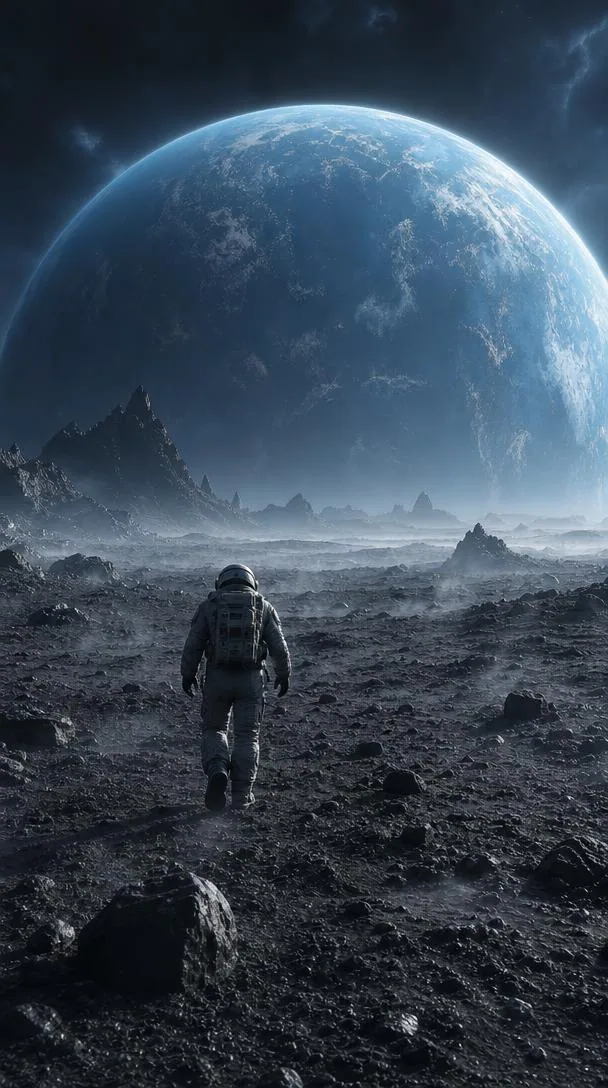
- A lone astronaut walks across black volcanic rock toward a glowing blue planet, dust drifting, slow push-in, cinematic.
- A neon-lit Tokyo alley in the rain, a woman in a translucent coat turns toward the camera, handheld drift.
- A ceramic mug on a travertine plinth, hard afternoon sun, sharp shadow, slow orbit, product photography.
- A fox in a snowy forest at dawn, breath visible, static camera, shallow depth of field.
- A candlelit porch with carved pumpkins and drifting fog, slow push-in, Halloween.
- A vintage car on a desert road at sunset, heat shimmer, low angle, slow tracking shot.
- A jellyfish drifting in a dark aquarium, bioluminescent blue, static camera, macro.
- A rooftop garden above a foggy city at sunrise, slow orbit, warm rim light.
- A dancer in a red dress in an empty theater, single spotlight, slow push-in.
- A tiny robot watering a plant on a windowsill, soft morning light, static camera.
Common failure modes
Most bad results come from asking for too much. Two actions, three characters, and a camera move in one sentence give the model too many degrees of freedom. Start with one action and one camera move; add the second beat only if the first clip is stable.
Hands and text are the two things models still struggle with. Keep hands out of the frame or use a description that does not require precise fingers, and add titles in an editor rather than asking the model to render words.
Free first video and pricing
A new account includes one free video. After that, one credit renders one video, with one-time packs starting at $19.90. There is no subscription, and a render that cannot start returns its credit.
Frequently asked questions
Do I need to upload a photo for text to video?
No. This page uses the prompt only. If you want a specific person or product in the clip, use the photo-to-video page instead.
How long can the prompt be?
One or two sentences is the sweet spot. The page allows a short paragraph, but a long prompt usually produces a less stable clip because the model has more to interpret.
Can I choose the aspect ratio?
The page renders a vertical 9:16 clip, which is the native shape for TikTok, Reels, and Shorts. A horizontal version is not offered on this page.
Why are hands and text unreliable?
Both require precise structure that video models still struggle to hold across frames. Keep hands out of the frame, and add titles in an editor after download.
Can I use the clip commercially?
You can use the clip you generate, subject to the provider terms. Do not reproduce a copyrighted character or a real person likeness, and do not imply an endorsement.
What happens if the clip fails?
The job is marked failed with a reason and the credit is returned. Try a shorter prompt with one action and one camera move.
Make your own version
No photo, no upload, no timeline. Describe a scene in one or two sentences, and the model builds a short vertical clip with a camera move and a consistent look. It is the fastest way to turn a written idea into footage.