AI rap video generator
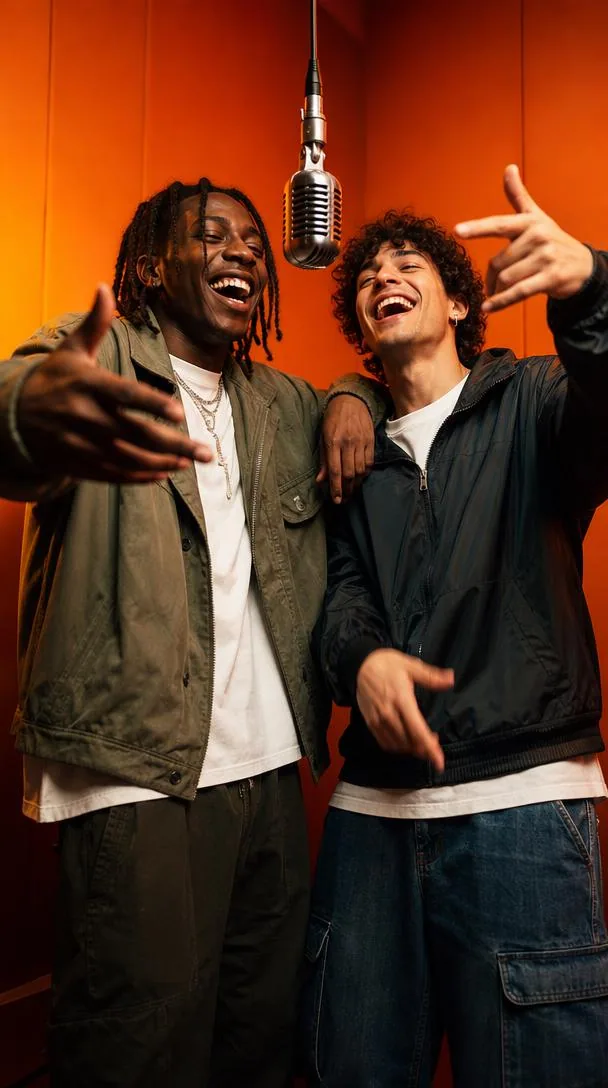
Upload two photos, choose the orange COLORS booth or the red hotel-lobby stage, and get a short vertical clip of the two people rapping. No timeline, no lip-sync recording, no editing app. The first video on a new account is free.
Sign in to use this tool
One email code, no password. A new account includes one free video and five free images per day.
Your result
How it works
- Upload two front-facing photos.
- Pick a studio look and add a short topic.
- Download the vertical MP4.
Uploads are sent to the model provider only to produce this result. Do not upload anyone without their permission.
What an AI rap video generator actually does
The tool takes two reference photos and a short scene description, then asks a reference-to-video model to keep both faces and build a performance around them. The output is a single vertical clip: the two people stand shoulder to shoulder in a studio set, move to a beat, and trade short verses about whatever topic you typed.
It is not a full music-production suite. There is no beat library, no vocal recording, and no multi-scene timeline. The value is speed: one upload, one look, one topic, and a clip that reads as the trend people already recognize.
The three-step workflow
First, upload two front-facing photos, one per person. Second, choose the orange COLORS booth with its hanging microphone or the red hotel-lobby hallway. Third, add an optional topic and press generate. Most renders finish in three to six minutes, and the page keeps polling so you can leave it open.
- Use photos where both faces are clear and looking toward the camera.
- Avoid group photos, sunglasses, heavy filters, and extreme angles.
- Keep the topic short: an inside joke works better than a paragraph.
The two looks, and when to pick each
The orange COLORS booth is the brighter, more playful set. It suits birthday shout-outs, group-chat jokes, and anything that should feel like a music-video performance. The red hotel-lobby stage is darker and more cinematic; it suits a confident flex, a couple announcement, or a clip that should look like a scene from a film.
Both looks use the same vertical framing, so the choice is about tone rather than format.
Topics that make a clip land
The topic is the line the two people rap about. Short, specific, and a little absurd works best: "our group chat at 2am", "the friend who is always late", "Monday mornings", "the couple that shares one blanket". A topic gives the model something to animate beyond generic head-bobbing.
If you leave the topic empty, the model still produces a performance, but the clip is less specific. A five-word topic is usually enough.
Why vertical 9:16 matters
Every clip is rendered in a vertical 9:16 frame because that is the native shape of TikTok, Reels, and Shorts. A horizontal clip has to be cropped or letterboxed before it can be posted, and both options waste the frame. The vertical format also puts the two faces closer together, which is what makes a two-person performance read on a phone.
Download the MP4, post it directly, or send the link to the other person so they can download their own copy.
Free first video, then one-time packs
A new account includes one free video, so you can see the booth and the motion before paying. After that, one credit renders one video. Packs are one-time purchases: $19.90 for 8, $49.00 for 25, $119.00 for 70, or $299.00 for 200. Credits never expire, there is no subscription, and a render that cannot start returns its credit automatically.
Downloadable MP4 packs start at $19.90. Paying does not change the resolution or move a job ahead of anyone else.
Frequently asked questions
Do I need two people to use the rap video generator?
The page is built for two photos and produces the best result with two people in frame. If you only have one photo, use the photo-to-video page instead; it animates a single portrait.
How long does a rap video take?
Usually three to six minutes. The page polls the provider every few seconds and shows the clip as soon as it is ready. If the provider is busy, the wait can be longer, and the page tells you when it has passed the expected window.
Can I choose the lyrics?
You can set the topic the two people rap about, but the tool does not accept a full lyric sheet. A short topic gives the model a clear direction without asking it to lip-sync an exact script.
Is the video watermark-free?
The render can finish on this page. Downloadable MP4 packs start at $19.90.
Can I use the clip commercially?
You can post the clip you generate, subject to the provider terms and to the permission of the people in the photos. Do not use a real person likeness to imply an endorsement, and do not reproduce a copyrighted character or song lyric.
What happens if the render fails?
If the job cannot start, the credit is returned automatically. A provider-side failure is marked with a reason in the job. Try again with sharper, front-facing photos or a shorter topic.
Make your own version
Upload two photos, choose the orange COLORS booth or the red hotel-lobby stage, and get a short vertical clip of the two people rapping. No timeline, no lip-sync recording, no editing app. The first video on a new account is free.