AI friends video generator
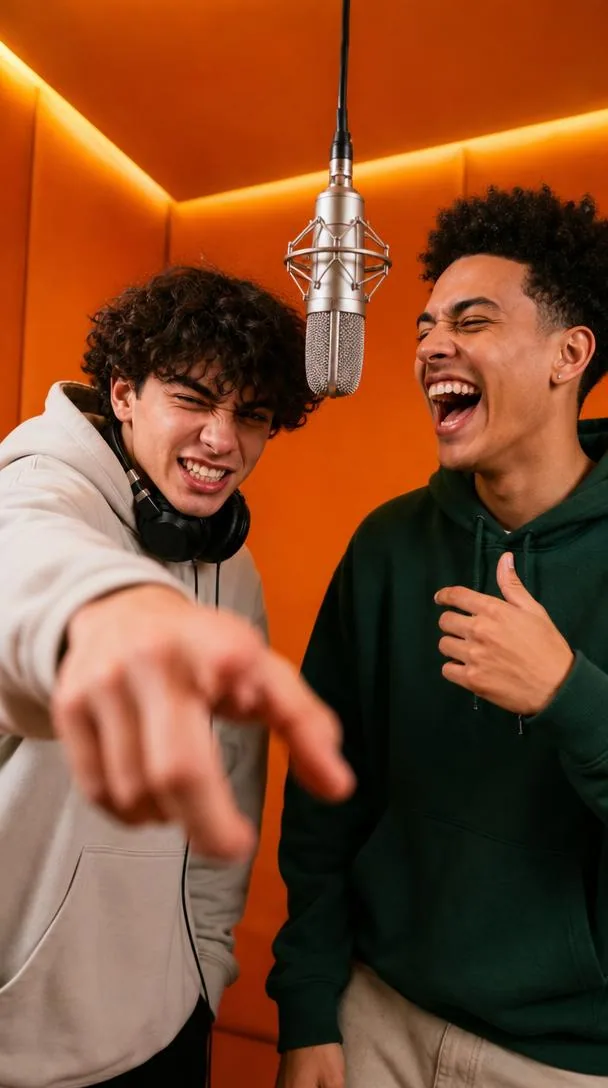
Every group chat has one joke that deserves a music video. Upload a photo of each person, choose a studio look, and give the model the joke. A few minutes later you have a vertical clip that the other person can download and send back.
Sign in to use this tool
One email code, no password. A new account includes one free video and five free images per day.
Your result
How it works
- Upload two front-facing photos.
- Pick a studio look and add a short topic.
- Download the vertical MP4.
Uploads are sent to the model provider only to produce this result. Do not upload anyone without their permission.
The group-chat joke, now a video
A two-person clip is the smallest unit of a shared joke. It does not need a cast, a script, or a location. It needs two faces and one line that only the two of you find funny. The model turns that line into a short performance in a studio set, which is enough to make the joke land in a feed.
The page is built for exactly two people because that is where the reference-to-video model is most reliable. A third face adds another identity to preserve and another chance for the scene to drift.
How to pick the two photos
Choose one clear, front-facing photo per person. Daylight or soft indoor light is better than a dark bar photo. Avoid sunglasses, heavy filters, and extreme angles. If one photo is sharp and the other is blurry, the blurry face will be the one that drifts.
You do not need the two photos to be from the same day. The model reconstructs the shared scene, so the backgrounds do not have to match.
Inside jokes that make a clip land
The best topic is specific and slightly absurd. "The friend who replies three days later" beats "friendship". "Our group chat at 2am" beats "good times". A specific line gives the model a scene to play and gives the other person a reason to send it on.
- A running nickname or a mispronounced word.
- A trip that went wrong in a funny way.
- A shared opinion about a trivial thing, such as pineapple on pizza.
- A mock acceptance speech for an award neither of you won.
Why two people is the sweet spot
Two people fit the vertical frame, share the microphone, and give the model a clear left-right composition. Three or more faces compete for space, and the model has to decide who is speaking. If you need a group, make two-person clips and post them as a series; each one is more likely to look right.
The two-person format also makes the result easy to share: each person has a clear role and a clear reason to send it to the other.
Sharing the result with the other person
The result panel has a share button that copies the page link, and a download button for the MP4. Send the link to the other person so they can download their own copy rather than forwarding a compressed file from a chat app.
If the clip is going on TikTok or Reels, post it from the account that owns the joke. Tagging the other person is optional; ask first if their face is in the frame.
What it costs
A new account includes one free video. After that, one credit renders one video, and packs are one-time purchases starting at $19.90. There is no subscription and no per-seat pricing. Downloadable MP4 packs start at $19.90; the other person does not need an account to watch or download the result.
Frequently asked questions
Does the other person need an account?
No. Only the person who renders the clip needs an account and a credit. The result link can be opened by anyone you send it to.
Can I use a group photo?
The page expects two separate photos, one per person. A group photo makes it ambiguous which two faces the model should preserve. Crop the group photo into two clear portraits first.
Can we make more than one clip?
Yes. Each render uses one credit after the free first video. You can render the same two photos with different topics to see which joke lands better.
Is the clip vertical?
Yes. Every video page exports a vertical 9:16 MP4, which is the native shape for TikTok, Reels, and Shorts.
What if one friend does not want their face used?
Do not upload their photo. A clip made without consent is not worth the fallout, and the site asks you to confirm that you have permission.
Can I add captions?
The tool exports a clean clip without burned-in text. Add captions in TikTok, Reels, or any editor after download; generated text inside the video is not reliable.
Make your own version
Every group chat has one joke that deserves a music video. Upload a photo of each person, choose a studio look, and give the model the joke. A few minutes later you have a vertical clip that the other person can download and send back.