Photo to video AI
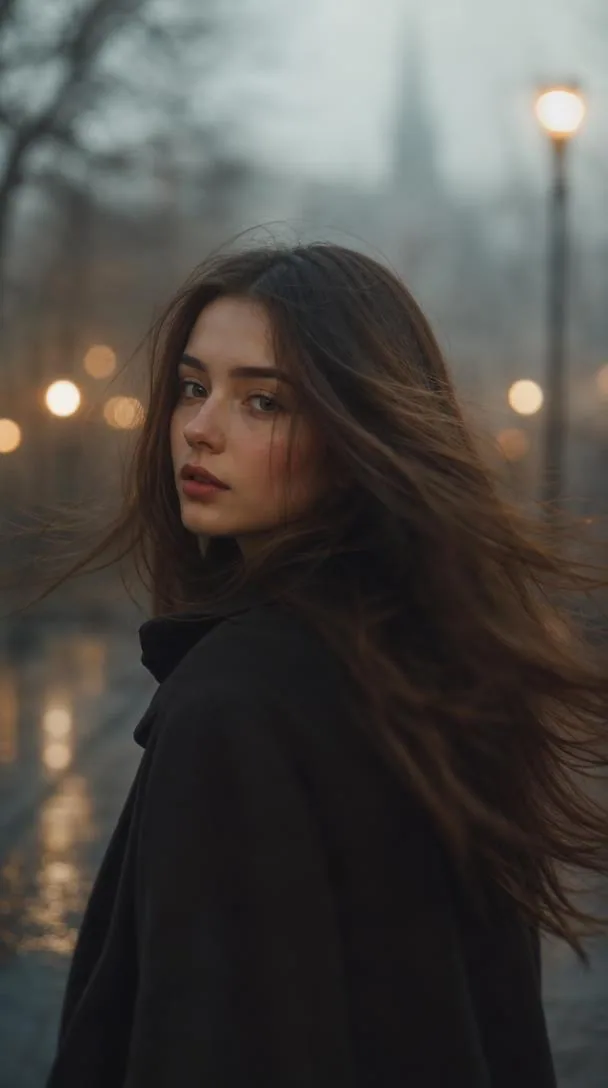
A still photo is a moment. A short video is a mood. Upload one portrait and describe a small motion, and the model returns a vertical clip with a gentle push-in, drifting hair, or a slow head turn. No timeline and no keyframes.
Sign in to use this tool
One email code, no password. A new account includes one free video and five free images per day.
Your result
How it works
- Upload one clear, front-facing photo.
- Describe a small motion and a camera move.
- Download the vertical MP4.
Uploads are sent to the model provider only to produce this result. Do not upload anyone without their permission.
What photo to video actually does
The model uses your photo as the first frame and the visual reference, then generates a short continuation. It keeps the face, the clothing, and the composition, and adds motion inside that frame. The result is not a talking-head avatar and not a slideshow; it is a cinematic loop or a few seconds of movement.
The best results come from small, physical motions: a head turn, a blink, hair moving, fog drifting, a slow camera push. Large actions, such as walking across a room or dancing, give the model more freedom to invent anatomy, which is where artifacts appear.
The motion that works, and the motion that breaks
Think like a photographer directing a still subject, not like an animator. "She turns her head slightly toward the camera" is a motion the model can complete. "She walks through a market and picks up an apple" is a new scene, and the model will have to invent most of it.
- Works: slow push-in, subtle head turn, hair in a breeze, fog, candle flicker, a blink.
- Works with care: a hand lifting, a smile forming, fabric moving.
- Usually breaks: walking, dancing, complex hand gestures, two people interacting.
Three use cases: portraits, pets, products
For a portrait, the goal is presence: a slow push-in and a small head turn make a profile picture feel alive. For a pet, a head tilt and a tail wag are enough; keep the motion gentle so the fur stays coherent. For a product, a slow orbit and a light sweep are more convincing than a hand picking the object up.
The same tool works for all three because the input is always one clear reference image and one short motion description.
Photo quality checklist
A sharp, well-lit, front-facing photo gives the model the most to preserve. A dark, tilted, or heavily filtered photo gives it less, and the result drifts toward a generic face.
- Face visible and in focus, ideally looking toward the camera.
- Even light; avoid a strong backlight or a single harsh shadow.
- No sunglasses, no mask, no object covering the mouth.
- At least 1024 pixels on the short edge if you have it.
- One person per photo; crop out other faces.
Camera moves you can ask for
Camera language is the easiest way to make a clip feel directed. Use one move per render.
- "Slow push-in, 35mm lens, shallow depth of field."
- "Static camera, subject turns their head slowly toward the lens."
- "Gentle handheld drift, soft window light, dust in the air."
- "Slow orbit around the subject, rim light, dark background."
Pricing and the free first video
A new account includes one free video. After that, one credit renders one video, with one-time packs starting at $19.90. There is no subscription. Downloadable MP4 packs start at $19.90. A render that cannot start returns its credit automatically.
Frequently asked questions
How long is the video?
The model returns a short clip, typically a few seconds. That is enough for a loop, a Story, or a single beat in a longer edit.
Can I animate a photo of a famous person?
No. Do not upload a public figure or anyone else without permission. The tool is for your own photos and for people who have agreed to appear.
Why did the face change in my result?
A blurry, tilted, or heavily filtered source gives the model less identity to preserve. Try a sharper, front-facing photo with even light and a smaller motion.
Can I animate a product photo?
Yes. A slow orbit and a light sweep are the two moves that work best. Keep the product label readable and avoid adding features the product does not have.
Does it work with a pet photo?
Yes. A head tilt, a blink, or a tail wag are good choices. Keep the motion gentle so the fur and the face stay coherent.
What happens if the render fails?
If the job cannot start, the credit is returned. A provider-side failure is marked with a reason. Try a simpler motion description or a sharper photo.
Make your own version
A still photo is a moment. A short video is a mood. Upload one portrait and describe a small motion, and the model returns a vertical clip with a gentle push-in, drifting hair, or a slow head turn. No timeline and no keyframes.